
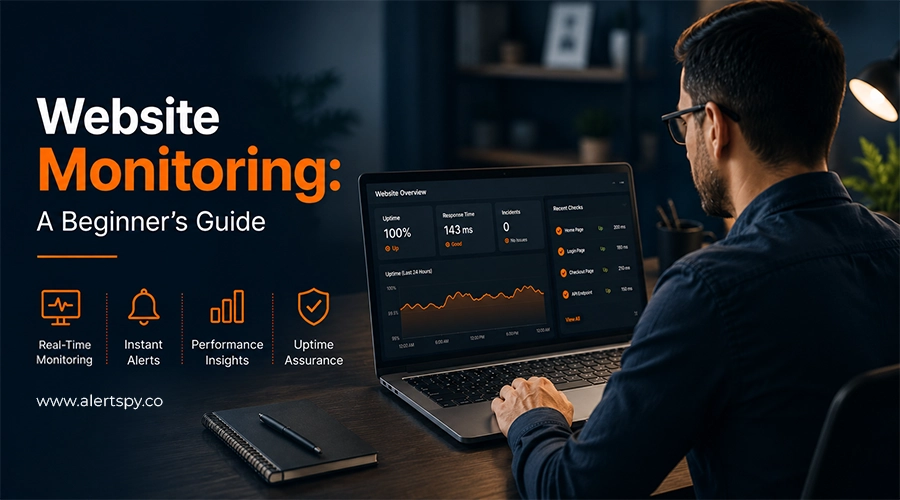
Your website is down for 11 minutes. You do not know it yet. Customers try to check out, get a blank page, and leave. That is why "I'll just check it manually" is not a monitoring strategy. You need website monitoring tools that keep watch when your team is busy, offline, or asleep.
Website monitoring is the practice of checking a website's availability, speed, and functionality. A good website monitoring tool does not stop at basic ping monitoring. It can also watch page performance, SSL certificate issues, domain expiry, APIs, content problems, and server stability. An advanced monitoring service like AlertSpy brings those signals together so you can detect problems early without drowning in noise.
Key takeaways
- Use website monitoring tools to continuously track uptime, performance, functionality, SSL, domains, and critical website processes.
- Combine uptime and performance monitoring to catch both full outages and slow-loading or broken user experiences.
- Monitor critical pages like checkout, login, payment APIs, and landing pages based on business importance.
- Use multi-location monitoring and smart alerts to confirm real outages and reduce alert fatigue.
- Review monitoring data regularly and choose tools based on your website size, traffic, infrastructure, and business risk.
What is website monitoring, and why does it matter?
Website monitoring means watching over a website's health. That includes uptime, page functionality, response speed, content issues, DNS, domains, and SSL certificates.
Modern teams usually do this with website monitoring tools or services. These systems automatically check whether your site is online, how fast it responds, whether it renders the right content, and whether key flows like login and checkout still work.
How website monitoring benefits businesses
- Downtime is expensive. Outages can cost anywhere from a few hundred dollars to tens of thousands per minute, depending on the business.
- Speed affects conversion directly. Slow pages raise bounce rates and reduce checkout, signup, and lead form completion.
- Performance affects search visibility. Core Web Vitals are part of Google's page experience signals.
- Trust is fragile. A "Not secure" browser warning from an expired SSL certificate can damage confidence immediately.
- Reliability is a competitive advantage. A site that works when competitors are slow or unavailable keeps users moving.
Uptime monitoring vs. performance monitoring
Uptime monitoring checks whether a website is reachable and responsive. Is the site available right now? Is it up or down? These checks often validate server response, HTTP status codes, and availability over time.
Performance monitoring asks a different question: is the site usable? A page can return a perfect 200 OK response and still take 14 seconds to load. Performance monitoring tracks response time, time to first byte, resource loading, and user experience signals.
From a practical point of view, most business websites need both.
Types of website monitoring every business should understand
Website availability monitoring
- HTTP/HTTPS monitoring. Checks whether a URL returns the expected HTTP status code, usually 200 OK. Use it for homepages, login pages, account pages, checkout flows, conversion pages, and API endpoints.
- Ping monitoring. Checks whether a server or network device is reachable at the network level.
- Port monitoring. Verifies that a specific service, such as a database, mail server, or custom application, responds on its assigned port.
- DNS monitoring. Confirms that your domain resolves correctly and points to the expected infrastructure.
- Domain expiration monitoring. Tracks how close your domain is to expiring, helping you avoid preventable outages.
- SSL certificate monitoring. Checks certificate validity and expiration dates. Set alerts at least 30 days before expiry.
- Keyword and content monitoring. Verifies that specific text or elements are still present on a page, catching silent failures where the server returns 200 OK but the page is wrong.
Performance monitoring
- Synthetic monitoring. Runs repeatable tests from controlled environments. It is useful for testing user flows, catching regressions before real users do, and comparing performance across regions.
- Real User Monitoring (RUM). Captures performance data from real visitors' browsers, including real device, network, and behavior conditions.
- CrUX monitoring. Uses Google's Chrome User Experience Report data where available, which helps benchmark real-world performance.
Functional and user-experience monitoring
- Transaction monitoring. Tests complete user journeys like signup, login, checkout, and form submission.
- API monitoring. Validates the internal and third-party APIs your site depends on for payments, shipping, CMS data, or authentication.
- End-user monitoring. Uses session replay, error tracking, and behavior analytics to show how real users experienced a problem.
Backend and infrastructure monitoring
- Server resource monitoring. Watches CPU, memory, disk, and network usage on the machines hosting your site.
- Application Performance Monitoring (APM). Traces requests through backend code, flags slow database queries, and surfaces application errors.
| Metric | What it tells you | Practical target |
|---|---|---|
| Largest Contentful Paint (LCP) | How quickly the largest visible element loads. | Under 2.5 seconds. |
| Interaction to Next Paint (INP) | How quickly the page responds after interaction. | Under 200 milliseconds. |
| Cumulative Layout Shift (CLS) | How much the page layout moves while loading. | Under 0.1. |
| Time to First Byte (TTFB) | How quickly the server starts sending a response. | Faster is better. |
| Uptime percentage | How consistently your site remains available. | Track daily, weekly, and monthly. |
| Error rate | How many requests return 4xx or 5xx responses. | Keep it low and investigate spikes. |
| Bounce rate | How many visitors leave without taking action. | Lower is generally better. |
| Conversion rate | How many visitors complete a desired action. | Track alongside speed. |
| Speed Index | How quickly visible page content appears. | Faster is better for comparisons. |
Building your monitoring strategy, step by step
Step 1: Define what actually needs watching
Start with business impact. Which endpoints matter most when they fail?
- Tier 1, revenue-critical: checkout, login, payment APIs, and paid landing pages.
- Tier 2, important but not revenue-blocking: account pages, search, and secondary content pages.
- Tier 3, low-stakes: staging environments, internal tools, and rarely visited pages.
Step 2: Match check intervals to business risk
| Website or flow | Uptime checks | Performance checks | Transaction checks |
|---|---|---|---|
| E-commerce checkout, SaaS dashboard, login | Every 1 minute or faster on paid tiers, down to 30 seconds. | Every 5-15 minutes. | Every 15-30 minutes. |
| Standard business site, blog, portfolio | Every 5 minutes. | Every 30-60 minutes. | Not usually needed. |
| Staging, internal tools, low-traffic pages | Every 15+ minutes. | As needed. | As needed. |
Step 3: Confirm outages before you panic
A single failed check from one location can mean your server is down, or it can mean a regional ISP had a bad five minutes. Run checks from at least two, ideally three, geographic regions such as North America, Europe, and Asia. Trigger urgent alerts when checks fail from two or more regions.
Step 4: Route alerts to the right channels
Match alert channel to urgency. Common channels include SMS, email, mobile push, Slack, webhooks, Microsoft Teams, and other operations tools.
Step 5: Communicate status publicly or internally
A public or private status page reduces support load during incidents and builds trust by showing that your team knows about the problem before users have to ask.
Step 6: Review and audit regularly
Review alert logs monthly to catch recurring false positives. Test the full alert pipeline quarterly, including phone numbers, webhook URLs, domain expiration alerts, SSL alerts, and chat integrations.
Choosing the right website monitoring tools
| Website type | What you need | Tool category |
|---|---|---|
| Solo site, blog, side project | Free tier, simple setup, basic uptime and SSL checks. | Free-tier uptime checkers. |
| Small business or early SaaS | Uptime, performance, status page, moderate check intervals. | Combined uptime and synthetic monitoring platforms. |
| E-commerce or revenue-critical site | Sub-minute checks, multi-location monitoring, transaction monitoring, escalation policies. | Dedicated synthetic and transaction monitoring tools. |
| Growing engineering team | RUM, Core Web Vitals dashboards, APM correlation. | Real user monitoring and APM platforms. |
| Enterprise or complex infrastructure | Unified metrics, logs, traces, anomaly detection, and security monitoring integrations. | Full observability platforms. |
Common beginner mistakes
- Monitoring only the homepage. Checkout, login, and API endpoints can fail independently.
- Notifying everyone about every event. That creates noise and trains people to ignore alerts.
- Testing from only one location. You need more than one viewpoint to separate true outages from regional network issues.
- Setting SSL and domain alerts too close to expiry. Give yourself at least a month of warning.
- Treating monitoring as a one-time setup instead of an operating practice that needs review.
Final thoughts
Effective website monitoring is a system, not a switch. Start with availability, SSL certificates, domain checks, and important user flows. Then tune your alerts so the right people hear about the right problems at the right time.
Keep your website running with AlertSpy
Website issues turn into lost visitors, missed sales, and frustrated users when nobody notices them in time. AlertSpy gives you a straightforward way to monitor websites and critical IT systems, then notify the right team when something needs attention.
Start with a free account, set up your monitors, and see how it fits into your workflow before committing to a paid plan.
FAQ
-
What steps help verify website functionality across
locations?
Use multi-location monitoring to check your website from different regions and detect regional accessibility or performance problems. -
How can you know if your website goes down when you are not
watching it?
Uptime monitoring regularly checks your website and sends an alert when it becomes unavailable. -
How can you prevent an expired SSL certificate from affecting
your website?
SSL monitoring tracks certificate expiration and alerts you early enough to renew it. -
How can you detect when a scheduled job stops working?
Cron job monitoring checks whether scheduled tasks report correctly and alerts you when one stops. -
How can you find out if your website is becoming
slower?
Performance monitoring tracks response times and helps you spot slowdowns before they have a larger impact on visitors.