
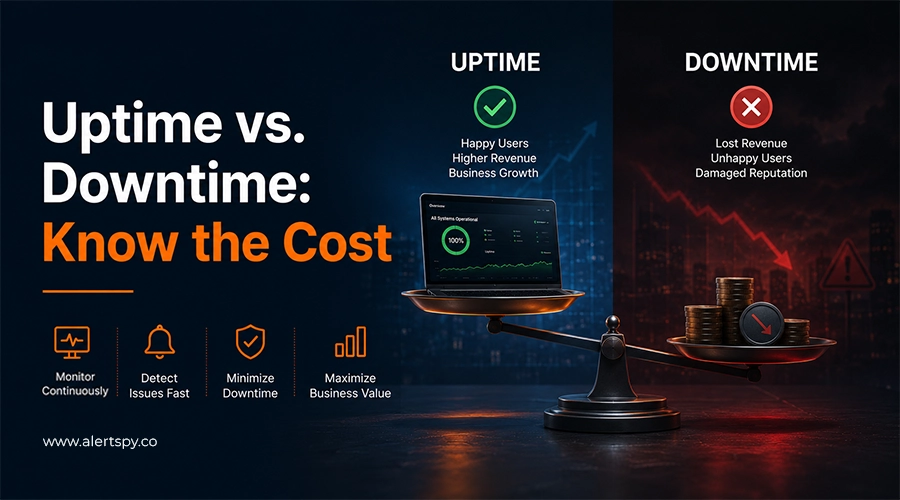
Website downtime can cost your business more than a few lost sales. When your website goes offline, customers may not be able to buy your products, submit a form, book an appointment, or contact your team. Your employees may also lose time while trying to fix the problem. Refunds, recovery costs, wasted ad spend, and unhappy customers can all pile on top of the outage itself.
That is why website uptime monitoring matters. Uptime is not just a technical number. It directly affects revenue, trust, support load, and how quickly your team can respond when something breaks.
Key takeaways
- Downtime costs include lost sales, missed leads, wasted advertising spend, staff time, refunds, recovery work, and customer trust.
- Downtime during peak hours can be much more expensive than the same outage during slow traffic periods.
- Monitoring helps you catch problems faster, which reduces the time between the outage starting and your team responding.
- Backups, recovery plans, status pages, and post-deployment checks reduce the blast radius when downtime happens.
- A monitoring tool can cost less than a single short outage, especially for ecommerce, lead generation, SaaS, and paid ad landing pages.
So, what is downtime?
Downtime is any period when your website, app, or server is unreachable or unusable. It might be caused by a hosting failure, a bad deployment, a traffic spike, a DNS issue, an expired SSL certificate, or a cyberattack.
A few minutes may sound harmless until you attach those minutes to real traffic, active ad campaigns, checkout sessions, booking forms, sales calls, and support requests. The real cost of outages usually comes from several places at once.
What is the cost of outages?
Downtime costs usually fall into two groups: direct costs and indirect costs. Direct costs are easier to calculate because they include the revenue you missed while the site was unavailable. Indirect costs are harder to see immediately, but they can last longer.
The practical formula is simple:
Total downtime cost = lost revenue + productivity loss + recovery costs + support costs + refunds + wasted ad spend + customer trust impact
The part everyone gets right: direct revenue loss
If you know how much money your website makes in a month or day, you can estimate how much revenue each minute of downtime puts at risk.
Formula: monthly revenue divided by minutes in the month, multiplied by minutes of downtime.
For example, if an online store makes Rs. 5,000,000 per month, divide that by 43,200 minutes. That is roughly Rs. 115 per minute, or about Rs. 6,900 per hour, before support costs, refunds, ad waste, or customer churn are included.
Real traffic is not evenly spread across the day. If your outage hits during your busiest hours, such as an evening shopping window, the cost may be several times higher than the average. A quiet hour and a peak hour are not the same bill.
The part companies forget: everything downtime drags along
The invoice for downtime does not stop when the website comes back online. Outages create operational and reputational costs that are easy to underestimate.
- Your support team gets overloaded. Customers start emailing, calling, and messaging to ask what went wrong.
- Customer experience suffers. Some visitors will not complain. They will simply leave and try a competitor.
- Paid ads keep spending. Google, Meta, and other ad platforms can keep sending paid traffic to a page that cannot convert.
- Search visibility can take a hit. Repeated server errors and unstable pages can hurt user experience signals and organic performance.
- SLA penalties and refunds may apply. If you promise customers a specific uptime level, a long outage can trigger service credits or refunds.
- Engineers lose product time. A one-hour outage can consume a full day when diagnosis, recovery, communication, and follow-up work are included.
Do the math for your own business
You can build a quick downtime estimate in a few minutes:
- Revenue per minute: monthly revenue divided by 43,200.
- Peak multiplier: multiply by 3 to 5 if the outage hits your busiest hours.
- Detection delay: add 15 to 30 minutes if you do not have monitoring and customers are likely to notice before your team does.
- Staff cost: number of people firefighting, multiplied by their hourly rate and time spent.
- Ad spend wasted: daily ad budget divided by 24, multiplied by outage hours.
How can you reduce sudden downtime risk?
- Set up uptime monitoring. Use a website monitoring service that alerts you quickly when important pages go down.
- Create a simple recovery plan. Write down what your team should check first and who should be notified.
- Use a status page. Keep customers informed when there is a confirmed issue.
- Watch your website after updates. Deployments, plugin updates, DNS changes, and CMS edits can all cause unexpected failures.
- Monitor important content and forms. A page can return 200 OK while a checkout button, lead form, or booking widget is broken.
- Pause paid campaigns during confirmed outages. Do not keep buying traffic for a page that cannot load or convert.
Choosing a website monitoring tool
Website uptime monitoring tools are inexpensive compared with the cost of even a short outage. The right setup depends on how your website contributes to revenue, leads, customer support, and operations.
| Business situation | What downtime could cost you | How website monitoring helps |
|---|---|---|
| Small business | Missed leads, calls, and sales. | Alerts you quickly when your website goes down. |
| Ecommerce store | Lost orders and abandoned carts. | Helps you catch outages before they continue for hours. |
| Service business | Missed bookings and enquiries. | Lets you know when forms or important pages stop working. |
| Business running paid ads | Wasted advertising spend. | Alerts you when landing pages become unavailable. |
| High-traffic website | Large revenue losses during an outage. | Provides quick alerts so your team can respond immediately. |
| Growing business | Lost customers and reduced trust. | Helps you find problems before they affect more visitors. |
Bottom line
Downtime is never just "the site was down for a bit." It can mean lost sales, wasted ad spend, an overwhelmed support team, lower trust, and customers quietly choosing someone else.
The businesses that handle outages well are not the ones that never go down. They are the ones that know within seconds when something is wrong and respond before the problem snowballs.
Do not let website downtime cost you customers
AlertSpy monitors website uptime, page speed, SSL certificates, domains, and other critical services. When something fails, your team can receive alerts through email, Slack, Microsoft Teams, Discord, or Google Chat.
Use AlertSpy to catch downtime quickly, protect customer trust, and respond before visitors have to report the issue for you.
FAQ
-
How much can website downtime actually cost my
business?
The amount depends on revenue, traffic, average order value, outage duration, ad spend, staff time, refunds, and recovery costs. -
How can I know if my website goes down immediately?
Use an uptime monitoring tool that checks your website regularly and sends an alert when it becomes unavailable. -
Is website monitoring worth paying for?
For businesses that rely on their website for sales, leads, or support, monitoring is usually much cheaper than dealing with a long outage. -
What should I do when my website suddenly stops
working?
Confirm the issue, check recent deployments and hosting status, pause paid campaigns if needed, communicate with customers, and restore the most important pages first.